Mobile CI/CD with GitHub Actions: Build and Deploy Any App to AutoDevice
A complete guide to building and deploying mobile apps to AutoDevice using GitHub Actions. Covers native Android, native iOS, React Native, Flutter, and Expo with 16 working demo repos you can clone and go.
By Team AutoDevice
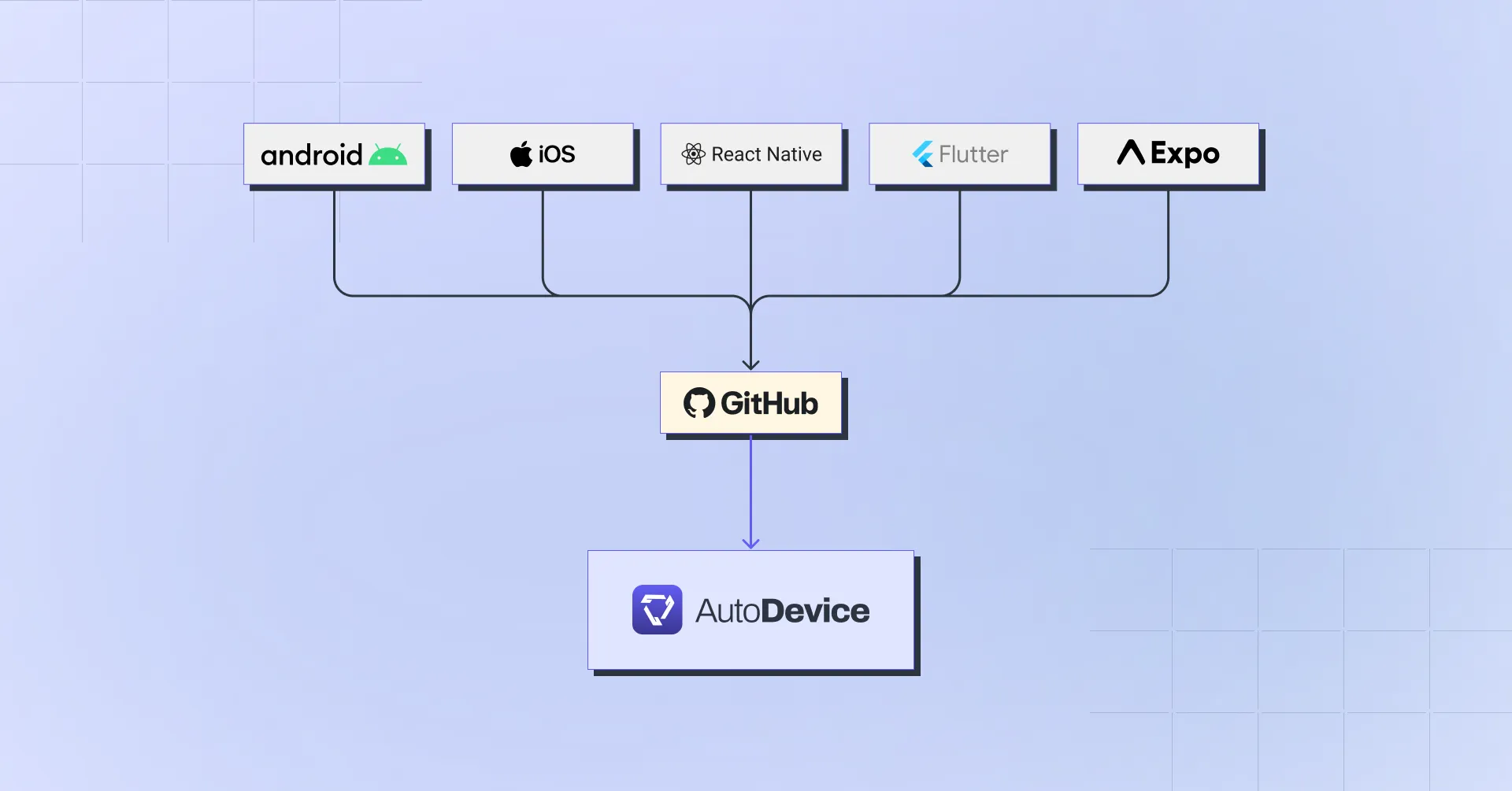
Every mobile framework has its own build toolchain, and wiring it into CI/CD can feel like a scavenger hunt. This guide covers every major mobile stack — native Android, native iOS, React Native, Flutter, and Expo — showing you how to build your app in GitHub Actions and upload it to AutoDevice on every push.
We’ve created 16 working demo repos (one for each framework/platform/build-tool combo) so you can clone, add your API key, and go.
The Upload Step
Every workflow ends the same way. Once you have a build artifact (an APK or a zipped .app bundle), upload it with the autodevice/upload-action:
- name: Upload to AutoDevice
  uses: autodevice/upload-action@main
  with:
    api-key: ${{ secrets.AUTODEVICE_API_KEY }}
    package-name: your.bundle.id
    build-path: path/to/your/artifact
Add your AUTODEVICE_API_KEY under Settings > Secrets in your GitHub repo. That’s it for the upload side. Everything below is about producing the artifact.
Native Android
Runner: ubuntu-latest | Needs: JDK 17
The build step is one line with Gradle, or two lines if you use Fastlane:
| Approach | Build command | Demo |
|---|---|---|
| Gradle | ./gradlew assembleDebug | android-gradle-ci-demo |
| Fastlane | bundle exec fastlane android build | android-fastlane-ci-demo |
Artifact path: app/build/outputs/apk/debug/app-debug.apk
Fastlane adds Ruby setup (ruby/setup-ruby@v1) and a Gemfile, but under the hood it’s still calling gradle(task: "assembleDebug").
Native iOS
Runner: macos-15 | Needs: Xcode 16.4
All iOS examples build for the simulator with code signing disabled (CODE_SIGN_IDENTITY="" CODE_SIGNING_ALLOWED=NO), so no provisioning profiles are needed in CI.
| Approach | Build command | Demo |
|---|---|---|
| xcodebuild | xcodebuild build -project ... -sdk iphonesimulator | ios-xcodebuild-ci-demo |
| Fastlane | bundle exec fastlane ios build | ios-fastlane-ci-demo |
Artifact: The .app bundle from build/Build/Products/Debug-iphonesimulator/, zipped before upload.
React Native
React Native adds Node.js + npm on top of the platform-specific toolchain. iOS builds also require CocoaPods (pod install before building).
| Platform | Approach | Runner | Demo |
|---|---|---|---|
| Android | Gradle | ubuntu-latest | react-native-android-ci-demo |
| Android | Fastlane | ubuntu-latest | react-native-fastlane-android-ci-demo |
| iOS | xcodebuild | macos-15 | react-native-ios-ci-demo |
| iOS | Fastlane | macos-15 | react-native-fastlane-ios-ci-demo |
Key difference from native: React Native iOS uses a .xcworkspace (generated by CocoaPods), not a .xcodeproj.
Android artifact: android/app/build/outputs/apk/debug/app-debug.apk
iOS artifact: Zipped .app from build/Build/Products/Debug-iphonesimulator/
The Fastlane iOS variant (react-native-fastlane-ios-ci-demo) also demonstrates a production-ready caching setup with three cache layers: ccache, CocoaPods, and DerivedData.
Flutter
Flutter uses subosito/flutter-action@v2 to install the SDK. The build commands are straightforward:
- Android:
flutter build apk --debug - iOS:
flutter build ios --simulator --debug
| Platform | Approach | Runner | Demo |
|---|---|---|---|
| Android | Flutter CLI | ubuntu-latest | flutter-android-ci-demo |
| Android | Fastlane | ubuntu-latest | flutter-fastlane-android-ci-demo |
| iOS | Flutter CLI | macos-15 | flutter-ios-ci-demo |
| iOS | Fastlane | macos-15 | flutter-fastlane-ios-ci-demo |
Android artifact: build/app/outputs/flutter-apk/app-debug.apk
iOS artifact: Zipped Runner.app from build/ios/iphonesimulator/
Gotcha: Flutter’s Fastlane Android variant may need a gradle wrapper step if your android/ directory doesn’t ship a gradlew.
Expo
Expo has two build modes:
- EAS Build (cloud) — builds happen on Expo’s servers. You wait for the result and download the artifact. iOS cloud builds can even run on an
ubuntu-latestrunner since Xcode isn’t needed locally. - EAS Build —local — builds run on your CI runner. Needs JDK (Android) or macOS + Xcode (iOS), but gives you full control and avoids EAS queue times.
Both require an EXPO_TOKEN secret for authentication.
| Platform | Mode | Runner | Demo |
|---|---|---|---|
| Android | EAS Cloud | ubuntu-latest | expo-eas-android-ci-demo |
| Android | EAS Local | ubuntu-latest | expo-local-android-ci-demo |
| iOS | EAS Cloud | ubuntu-latest | expo-eas-ios-ci-demo |
| iOS | EAS Local | macos-15 | expo-local-ios-ci-demo |
Cloud builds use eas build --platform <ios|android> --profile <profile> --wait then download the artifact via eas build:list. Local builds use eas build --local --output app.apk and write the artifact directly.
Android builds need a debug keystore and credentials.json generated in CI. iOS simulator builds need a simulator profile in eas.json:
{
  "build": {
    "simulator": {
      "ios": { "simulator": true }
    },
    "preview": {
      "android": { "buildType": "apk", "credentialsSource": "local" },
      "distribution": "internal"
    }
  }
}
Summary
| Framework | Platform | Build Tool | Runner | Demo |
|---|---|---|---|---|
| Native Android | Android | Gradle | ubuntu-latest | link |
| Native Android | Android | Fastlane | ubuntu-latest | link |
| Native iOS | iOS | xcodebuild | macos-15 | link |
| Native iOS | iOS | Fastlane | macos-15 | link |
| React Native | Android | Gradle | ubuntu-latest | link |
| React Native | Android | Fastlane | ubuntu-latest | link |
| React Native | iOS | xcodebuild | macos-15 | link |
| React Native | iOS | Fastlane | macos-15 | link |
| Flutter | Android | Flutter CLI | ubuntu-latest | link |
| Flutter | Android | Fastlane | ubuntu-latest | link |
| Flutter | iOS | Flutter CLI | macos-15 | link |
| Flutter | iOS | Fastlane | macos-15 | link |
| Expo | Android | EAS Cloud | ubuntu-latest | link |
| Expo | Android | EAS Local | ubuntu-latest | link |
| Expo | iOS | EAS Cloud | ubuntu-latest | link |
| Expo | iOS | EAS Local | macos-15 | link |
Every linked repo has a passing CI workflow. Clone one, add your AUTODEVICE_API_KEY secret, and you’re up and running.